Browser Download and Install: A Practical Checklist for Account Security and Team Workflows
browser download and install should be handled as a clear Lalicat operating workflow: confirm the account goal, keep the browser profile stable, match proxy and region settings, and make the steps easy for the team to review later.
Where This Fits in a Lalicat Workflow
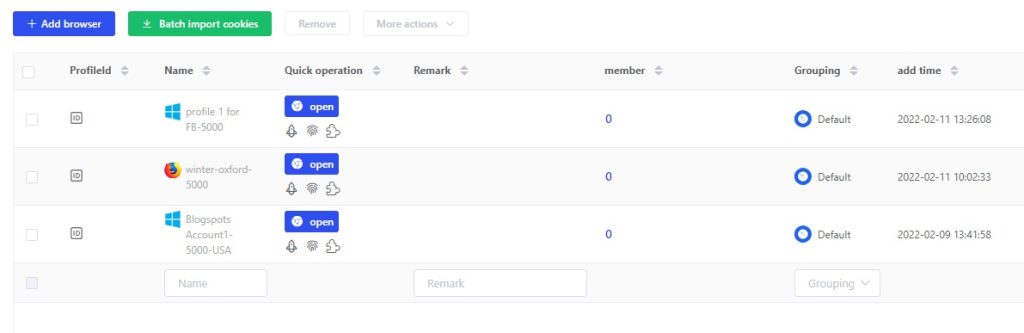
The original draft points to these practical details: Browser Download and Install Lalicat fingerprint browser software download link: https://www.lalicat.com/download Lalicat fingerprint browser installation steps: 1. Unzip the software package: Double-click on the installation package; 2. Select the software interface language; 3.
Lalicat Antidetect Browser is most useful when teams need repeatable profile management rather than one-off browser sessions. A profile should carry its own fingerprint settings, cookies, storage, proxy logic and operator permissions.
What To Check Before Publishing or Scaling
- Confirm which account or workflow the browser profile supports.
- Keep proxy region, time zone, language and account details aligned.
- Separate profile access by operator role and task responsibility.
- Document setup choices so abnormal activity can be reviewed later.
Evaluation Criteria
| Criterion | What To Check | Why It Matters |
|---|---|---|
| Profile isolation | Keep cookies, cache, local storage and fingerprint settings separate | Reduces account environment pollution |
| Proxy consistency | Match IP region, time zone, language and account location | Keeps daily access patterns easier to review |
| Team permissions | Assign browser profile access by role and task | Prevents accidental logins and unclear responsibility |
| Review records | Keep profile, proxy and operating notes together | Makes abnormal events easier to investigate |

Best-Fit Use Cases
- Teams that need stable browser profiles for marketplace, social, advertising or support accounts.
- Operators who need to separate proxy settings, cookies, local storage and fingerprint parameters by account.
- Managers who need permission control, profile grouping and clearer troubleshooting records.
- API or automation users who need predictable setup steps before scaling repetitive workflows.
Trust and Compliance Boundaries
Lalicat should be used to organize browser profiles, permissions and account workflows. It should not be treated as a promise to bypass platform rules. Teams still need to follow marketplace policies, advertising rules, privacy regulations and local laws.
FAQ
Who should pay attention to browser download and install?
Teams should pay attention when the workflow affects account access, browser profile stability, proxy matching or repeated operations. The higher the account value, the more important a clear profile process becomes.
Does Lalicat replace platform compliance requirements?
No. Lalicat helps organize browser environments and team workflows, but teams still need to follow marketplace policies, advertising rules, privacy requirements and local laws.
How can a team check whether the setup is ready?
A setup is ready when account details, proxy region, browser fingerprint, team permissions and operating records all support the same workflow. If one part is unclear, fix it before adding more accounts.
Next Step
Start with a small set of important profiles, document proxy and fingerprint settings, assign operator permissions, and then expand the same workflow across additional accounts after it stays stable.
get free trial
We Offer 3-Day Free Trial for All New Users
No Limitations in Features