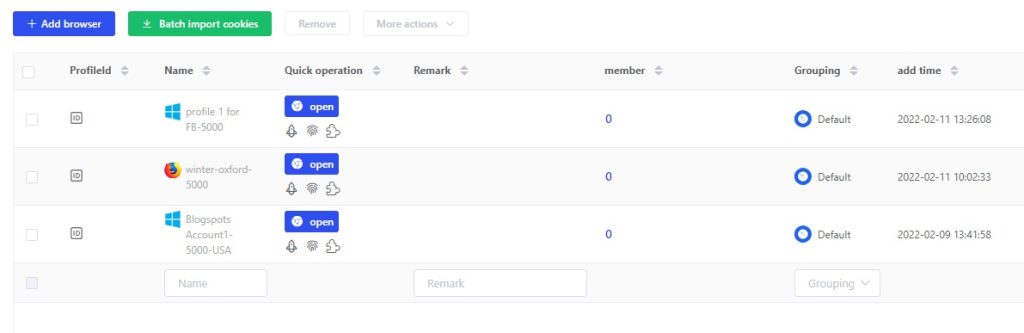
How to use OBS virtual camera in Lalicat virtual browser?
1. Open the OBS virtual camera;
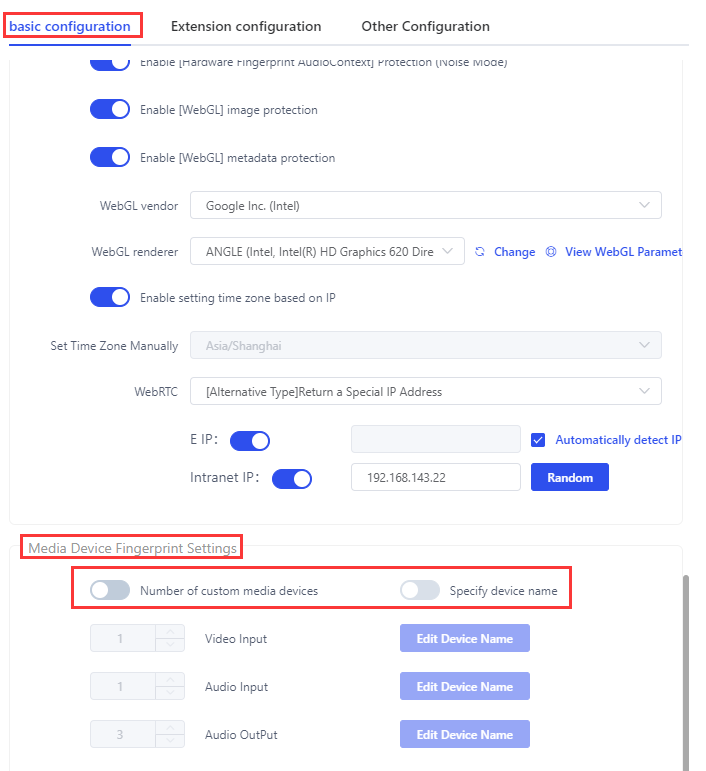
2. Turn off [media device fingerprint settings] in the [basic configuration] of a Lalicat browser profile;
3. Run the virtual browser;
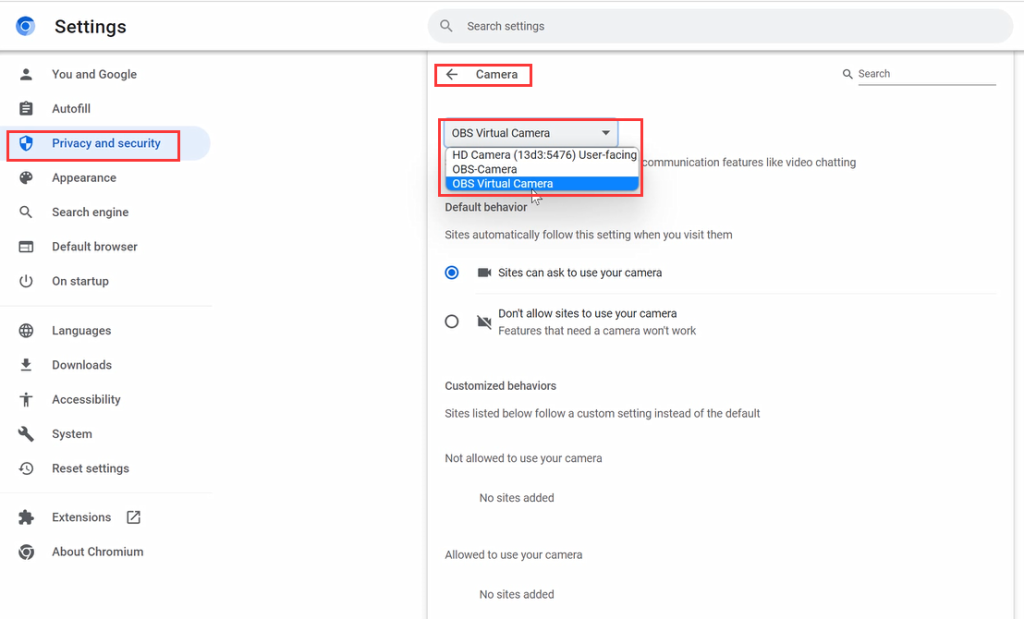
4. Select the OBS virtual camera as the default camera in browser settings;
get free trial
We Offer 3-Day Free Trial for All New Users
No Limitations in Features